How can I sign someone out on their behalf as an administrator?
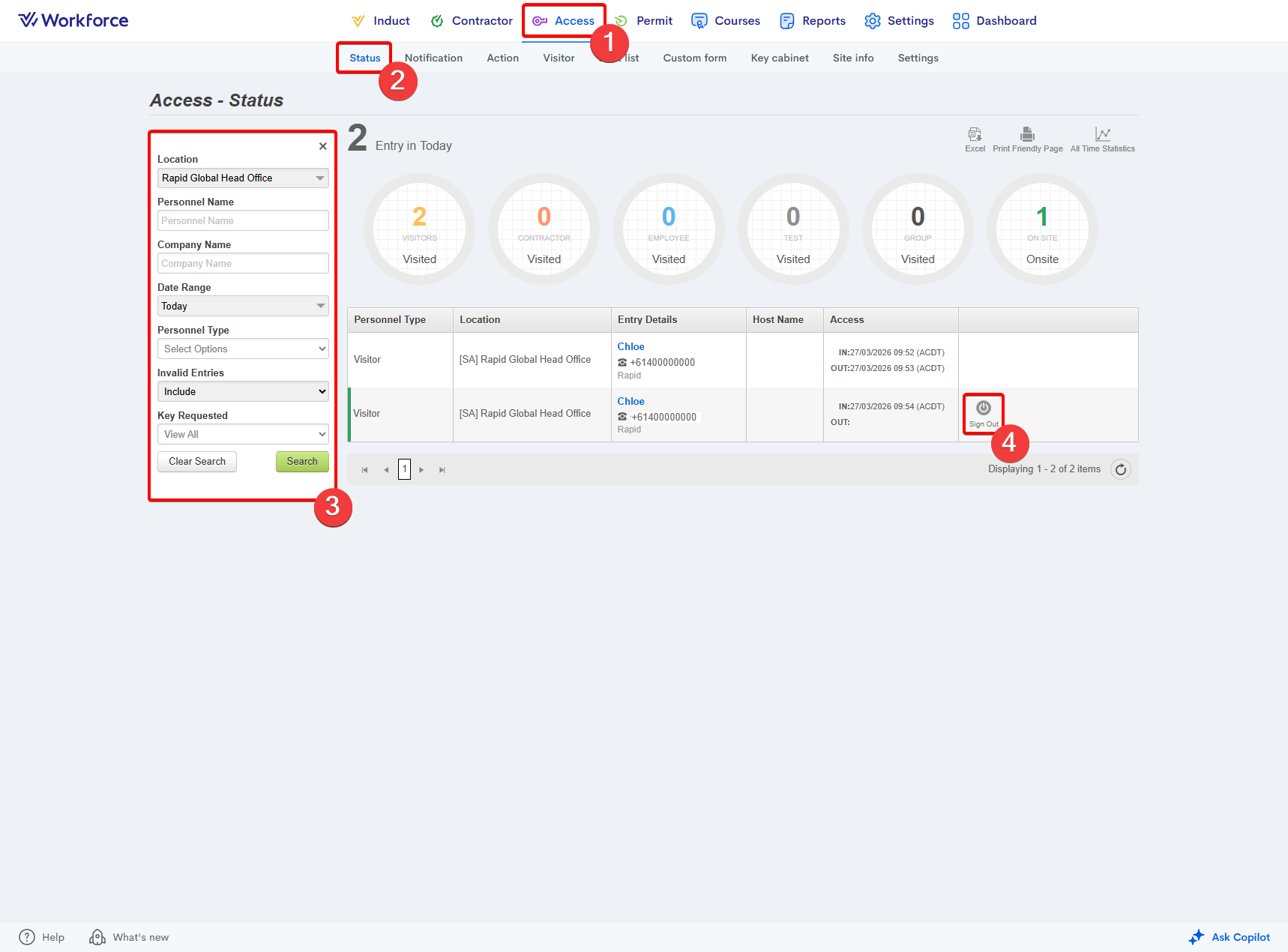
You can sign someone out on their behalf from the Access > Status page. A Sign Out button appears to the right of the user’s entry, selecting this will immediately sign the user out.
Related Articles
How to set the auto-signout period for a site
Go to the Access module. Enter the Site Info area. Select your site from the Location dropdown on the left-hand side. Adjust the Auto Signout setting to your site's preference: Scroll down the page and press the Update button:Where do I alter the sign-in / sign-out form?
Sign‑in and Sign‑out Forms can be edited from the Administrator Dashboard under Access > Custom Form. Navigate to the Form Builder tab, then select the name of the form you want to edit. For more information on creating and managing sign‑in and ...How to access the administrator profile on a Rapid Access kiosk
The administrator profile allows you to exit the Rapid Access sign-in application and gain access to the backend operating system of the device. Note: You require a password to sign into the administrator profile. Please reach out to the Rapid ...Managing Access Notifications
This article covers how to configure and manage Access notifications, including initial setup, deactivation, and a breakdown of notification types and groups. --------------------- What are Access notifications? Access notifications allow ...How to activate a site in Rapid Access
After you have created your site within the Settings module in the MyRapid Administrator portal, you must activate the site within Access to be able to enable a sign-in system for your site. Please not that this does NOT automatically enable the ...