How to set up Multi Factor Authenticator (MFA)
Getting signed in
- Visit the MyRapid login page to log in to your account.
- Enter the email address or mobile linked to your MyRapid account and select "Login".
- Enter the password previously created. Should you have forgotten this, select "Forgot/reset password".
Setting up MFA
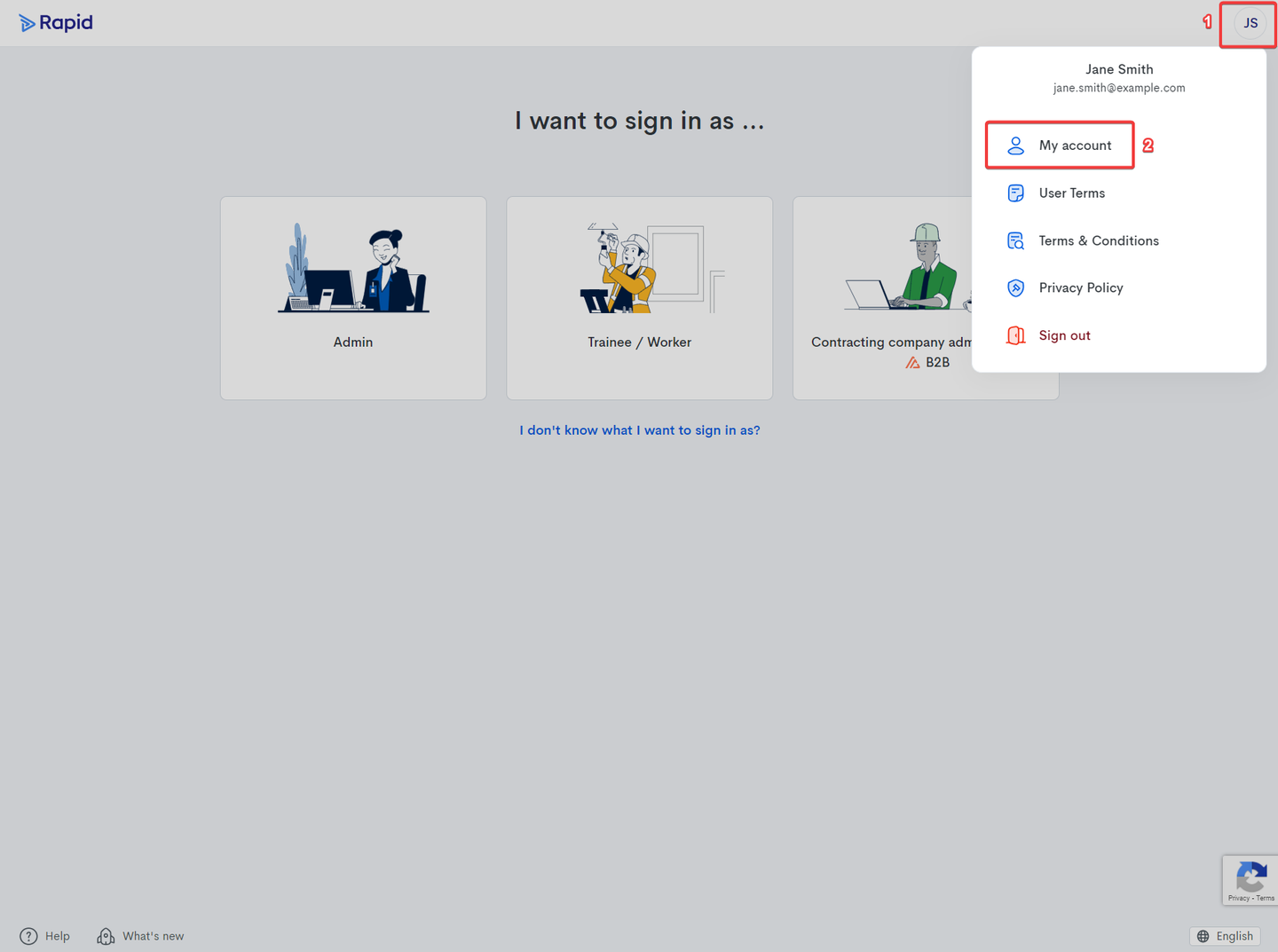
- Once you have logged in, navigate to the "My account" page by clicking on your initials:
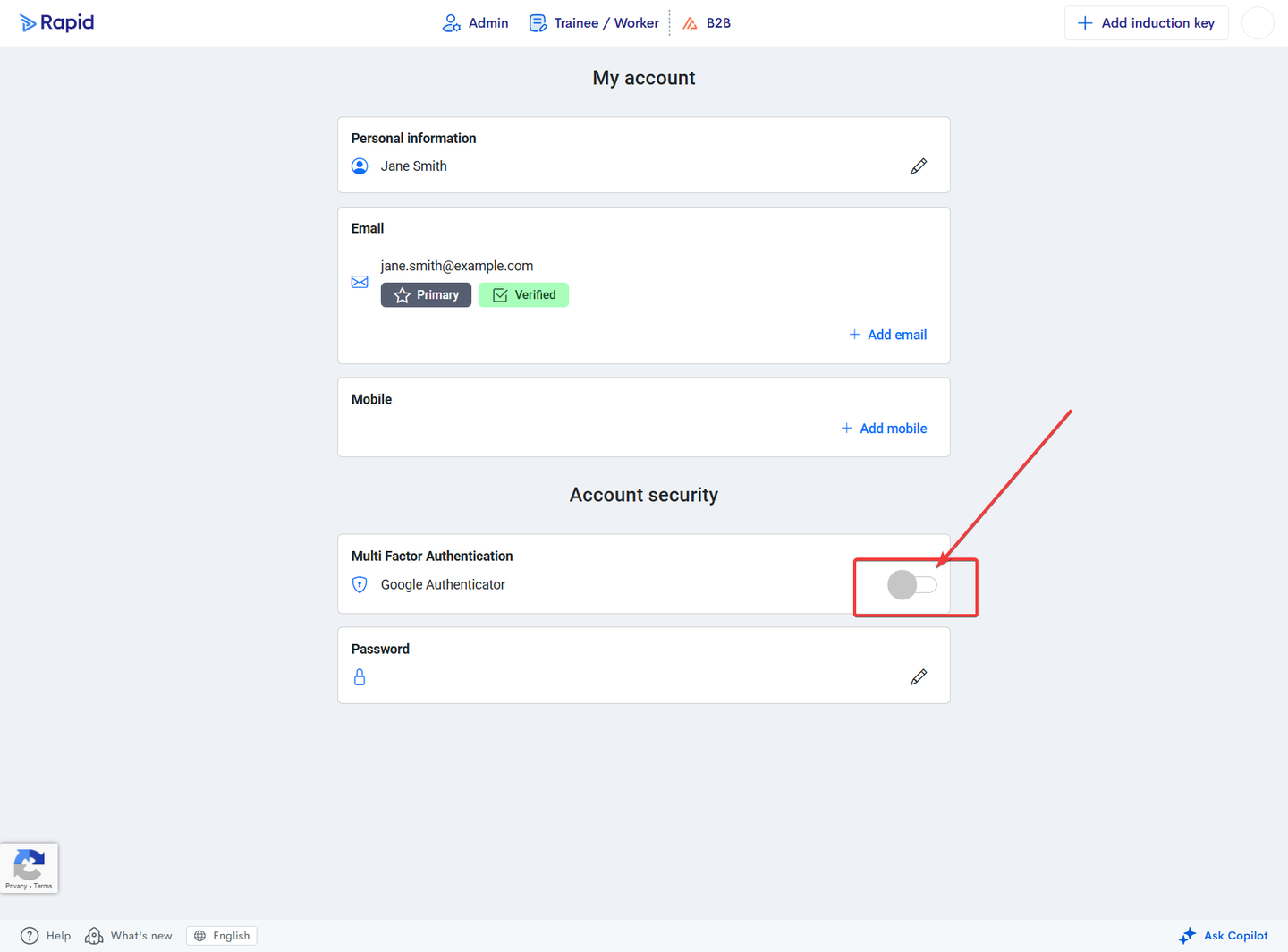
- Scroll down to “Account Security” and click to enable Multi-Factor Authentication:
The system will then guide you on how to download the Google Authentication App and setup MFA: